DIGITAL SIGNAGE SYSTEM
A CP24-inspired digital signage experience designed for Durham College, combining real-time information, motion design, and modular layouts to deliver news, weather, dining updates, and promotional content in a clear and engaging format.



Challenge
How can a fast-paced, information-heavy interface remain clear, engaging, and easy to read? Inspired by CP24’s broadcast design, the challenge was to organize multiple streams of content—news, weather, dining, and advertising—into a cohesive system that users can quickly scan and understand.
Overview
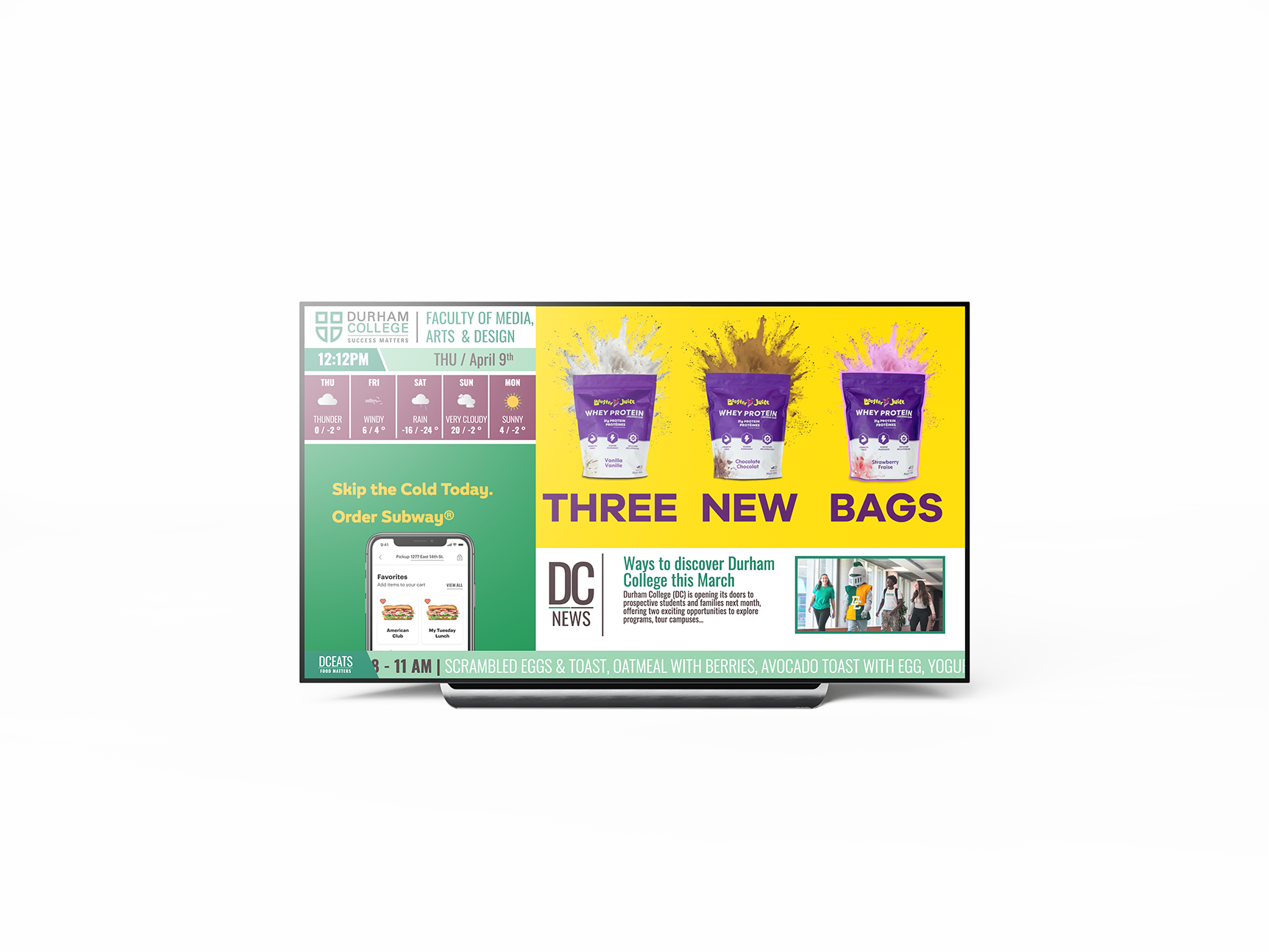
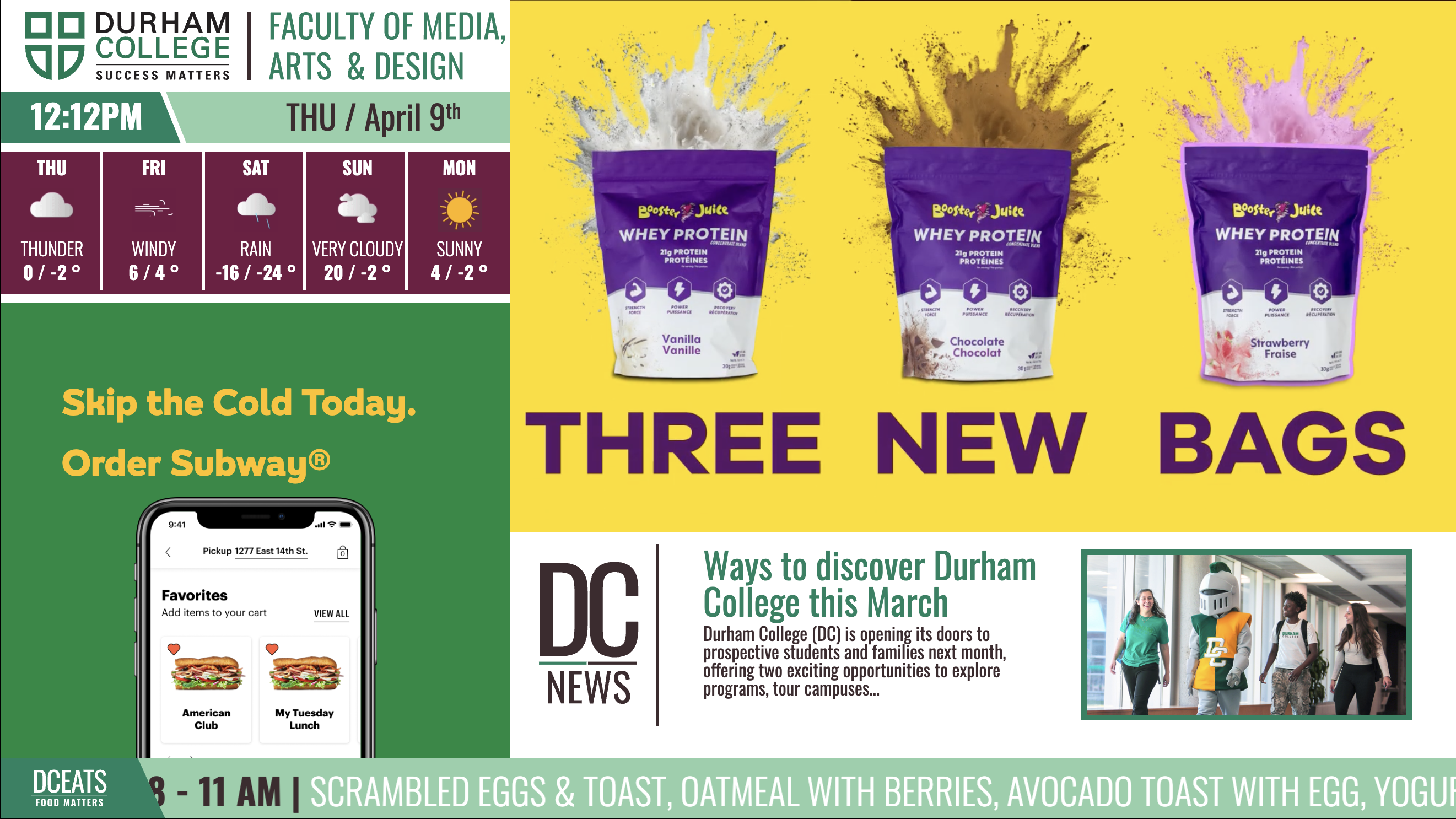
This project involved designing and developing a digital signage system for Durham College, modeled after the visual structure of CP24. The display integrates multiple content zones, including a live-style news panel, weather updates, a scrolling ticker for dining information, embedded video content, and an animated advertisement space.
The goal was to create a structured yet dynamic interface that balances high information density with strong visual hierarchy, ensuring content remains readable and engaging in a public environment.
Role
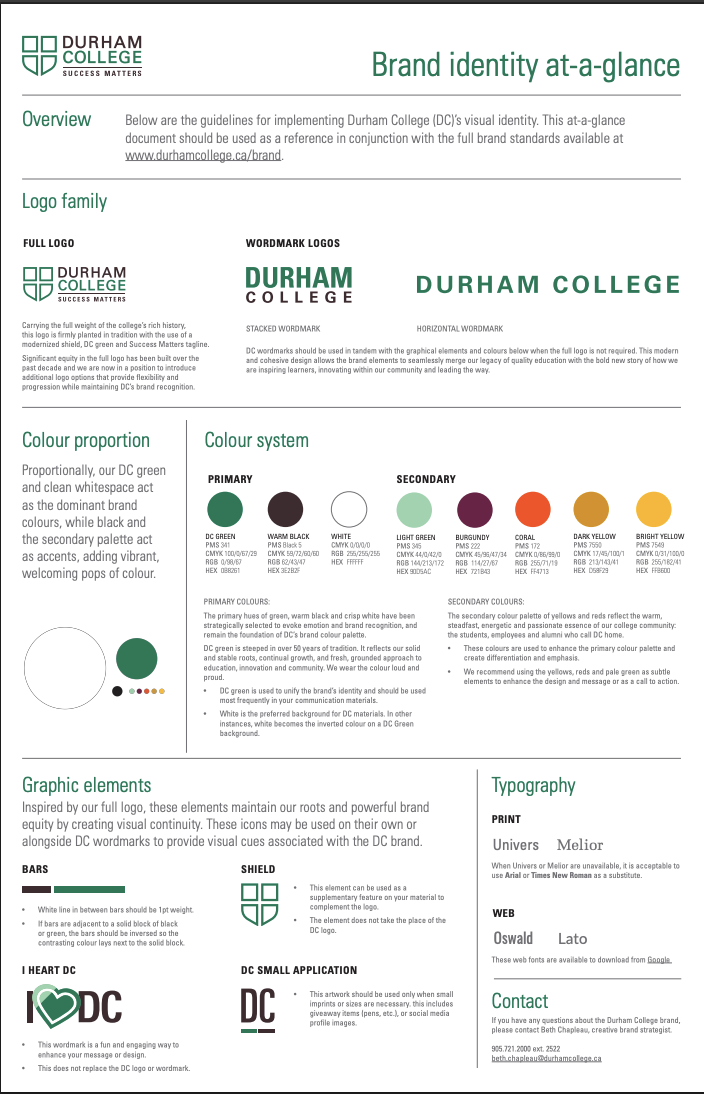
I led the full design and development process, including layout design, motion implementation using GSAP, content structuring, and visual styling. The project focused on translating broadcast design principles into a web-based digital signage experience.
Production Process
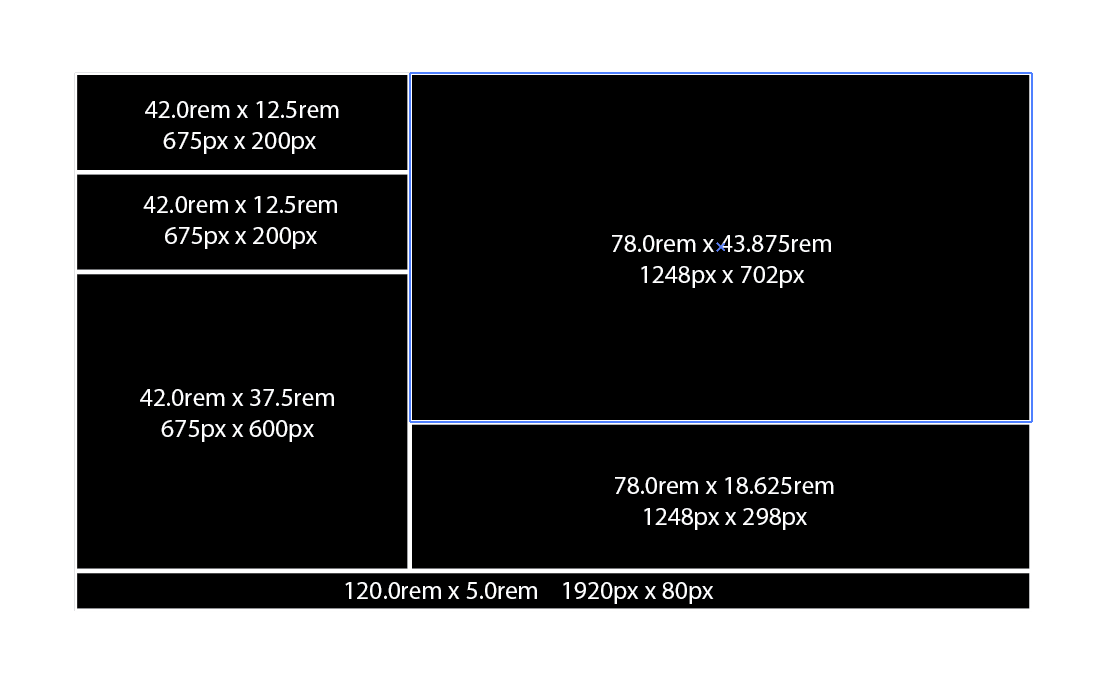
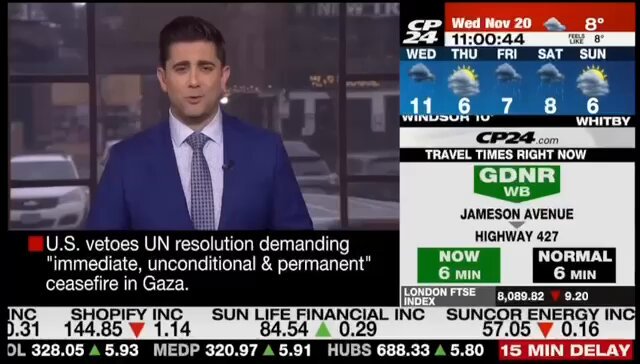
The project began with analyzing CP24’s layout system, focusing on how information is segmented, prioritized, and continuously updated. From this research, I developed a modular grid that separates content into distinct panels, including weather, news, advertisements, and live-style feeds.
Using HTML, CSS, and JavaScript, I implemented motion through GSAP to replicate the dynamic feel of broadcast media. Iteration focused on timing, readability, and ensuring smooth transitions between content states, particularly within the ticker and advertisement sections.
Digital Signage Experience
Broadcast Layout System
The interface is structured using a CP24-inspired layout, dividing the screen into multiple information zones. Each section—weather, news, ads, and live content—operates independently while maintaining a unified visual system. This modular approach allows users to quickly scan and prioritize information.
Live Data & Weather Panel
The weather panel delivers real-time-style information, including current conditions and weekly forecasts. Designed for quick readability, the layout uses bold typography and iconography to communicate essential details at a glance.
Ticker & Dining Information
A continuous scrolling ticker displays daily dining options and announcements. Inspired by broadcast news tickers, this element uses motion to keep content active while ensuring it remains subtle and readable over time.
Motion, Ads & Media Integration
Motion design plays a key role in the experience. GSAP is used to animate transitions and power the advertisement panel, creating a dynamic rotating content space. The system also integrates video content, reinforcing the broadcast-inspired design and enhancing overall engagement.